Why Acoustics Matter in Office Design
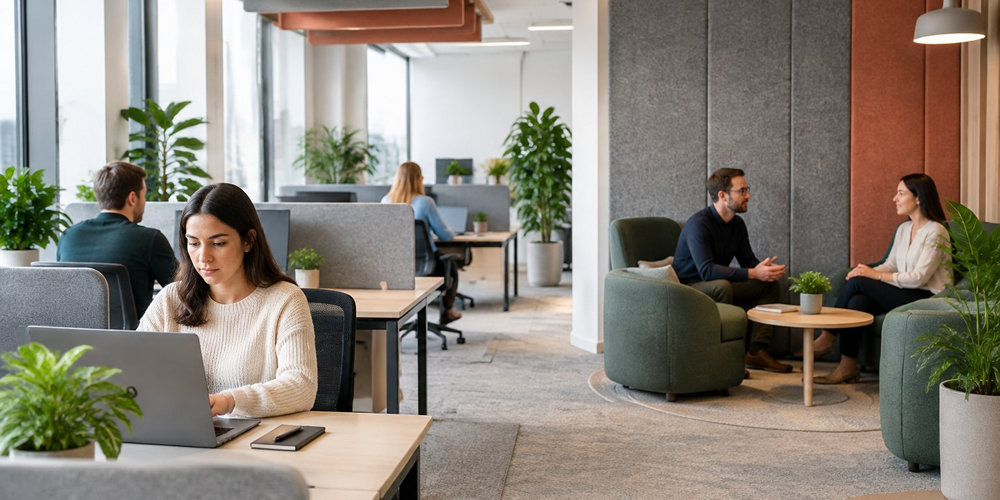
A phone call nearby pulls your attention from the task at hand. Voices echo across the room, and you may struggle to hear a colleague. Your office acoustics affect how easily you focus, communicate and work comfortably.
Planning for sound in your office design can reduce distractions, support wellbeing and improve speech privacy. You can create acoustic comfort with sound-absorbing surfaces, quiet work areas and separate spaces for calls. The aim is to match each space to the work taking place there.Key Takeaways
-
Reduce unwanted noise to support focus and wellbeing.
-
Plan spaces carefully to improve conversations and privacy.
-
Manage sound with materials, layout and regular checks.
Protecting Concentration and Employee Wellbeing
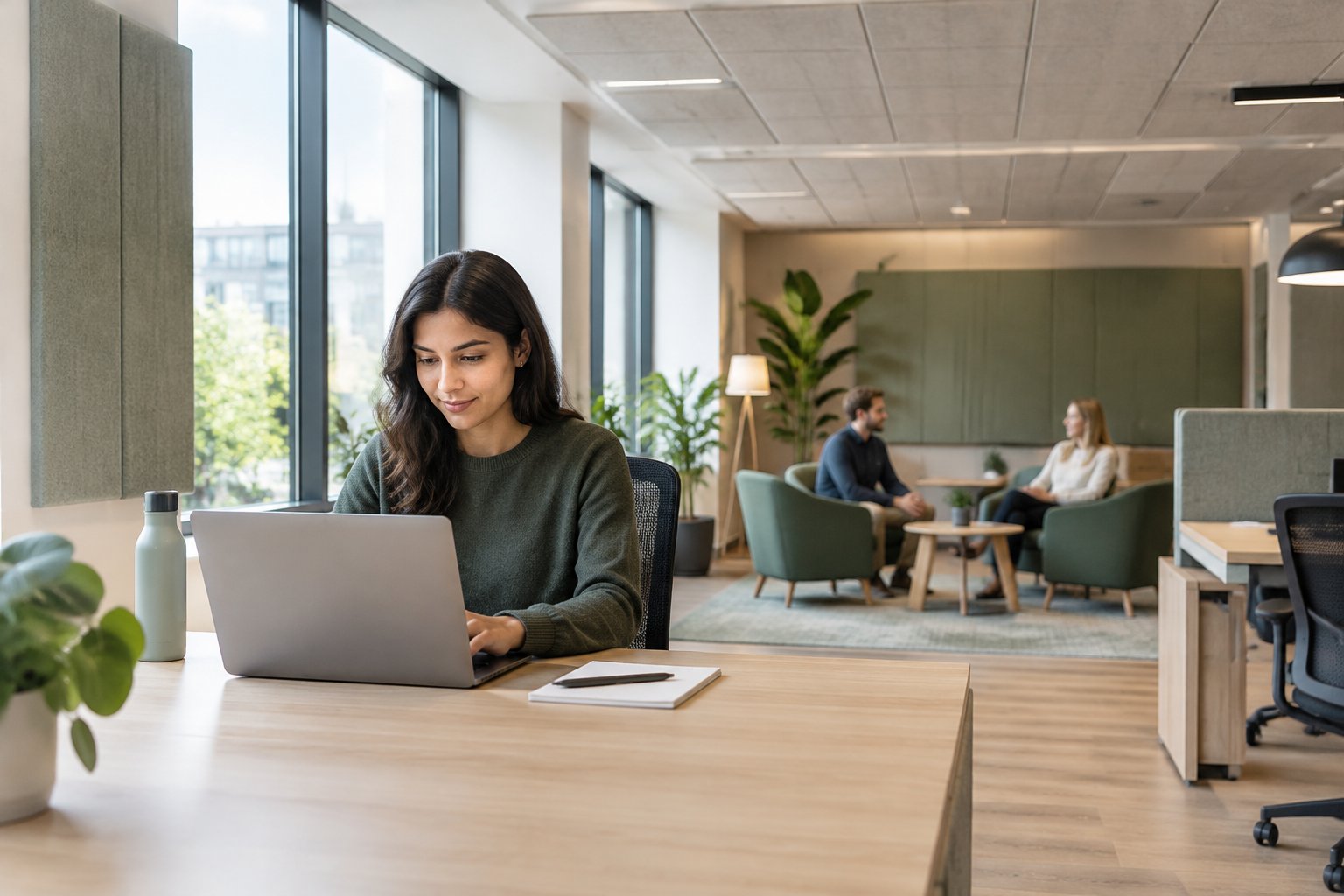
Nearby conversations and repeated interruptions can pull your attention away from demanding work. Managing office noise helps protect concentration, ease mental strain and support employees with different sound sensitivities.
How Distracting Speech Interrupts Focus
Your brain processes speech even when a conversation has nothing to do with your work. Nearby, clearly audible voices can be especially distracting during reading, writing and tasks that require you to hold information in mind.
After an interruption, you have to find your place again. Even a brief conversation beside your desk can disrupt your concentration several times as people exchange remarks.
Keep conversations separate from focused work. Place phone calls, informal chats and team discussions away from quiet desks. Make enclosed rooms available for longer calls.
Sound-absorbing ceilings and wall panels help reduce echoes. Pair them with suitable partitions and enough space between desks to limit how clearly speech carries. Low partitions by themselves offer little speech privacy.
Reducing Cognitive Overload and Mental Fatigue
When you’re working amid competing voices, ringing phones and equipment noise, you use mental effort to filter sounds. That extra demand can add to cognitive overload, particularly when a task already requires close attention or several steps.
By the end of a busy day, repeated noise distractions may leave you feeling drained or irritable. You can support employee wellbeing by making sure your office gives people reliable access to quieter working conditions.
Address noise at its source. Move printers away from desks, switch off unnecessary alerts and maintain rattling ventilation equipment. Agree on simple team habits, like taking speakerphone calls into meeting rooms.
Provide quiet spaces for demanding tasks, along with somewhere calm to take a break. Keep those spaces accessible, without a lengthy booking process.
Supporting Noise-Sensitive and Neurodivergent Employees
People experience sound differently. Some autistic people, people with ADHD and those with migraines or hearing conditions find certain sounds especially distracting or distressing. Ask about individual needs rather than assuming everyone with the same condition needs the same support.
Offer practical choices:
-
Desks away from busy routes, kitchens and noisy equipment.
-
Quiet rooms with clear rules about calls and conversation.
-
Noise-cancelling headphones, where they suit the role and safety needs.
Let employees choose the support that works for them. Some people prefer steady background sound; others need less noise around them. Discuss changes privately, explain how to request adjustments and check whether they improve daily comfort and concentration.
Balancing Clear Communication With Speech Privacy

Your workplace acoustics should help people hear clearly in meetings while limiting how far speech travels between desks. For confidential discussions, you’ll need enclosed private workspaces with walls, doors and ventilation designed to control sound transfer.
Improving Speech Intelligibility in Meetings
Speech intelligibility is how easily spoken words can be understood. In meeting rooms, echoes and background noise make speech harder to follow, especially during video calls.
Fit sound-absorbing ceiling tiles and wall panels to reduce reflections. Place panels near large, hard surfaces, such as bare walls, where reflected sound can interfere with voices.
Keep ventilation noise low and position microphones close to speakers. Check that everyone can hear clearly from each seat, including people joining remotely.
For your meeting room, prioritise:
-
Sound absorption: Reduce lingering sound that can blur words.
-
Microphone placement: Capture voices clearly across the table.
-
Speaker volume: Set a comfortable level without adding excess noise.
Test the room during a real call, with the ventilation running.
Limiting Overheard Conversations Across Workstations
At open workstations, the goal is to make nearby speech harder to understand. Start by separating call-heavy teams and shared meeting areas from desks used for focused work.
Use storage areas, walkways or other buffer spaces to add distance between these activities. Place desk screens where they interrupt the direct path between seated speakers and nearby listeners.
Combine screens with a sound-absorbing ceiling and suitable wall panels. On their own, screens leave sound paths open above and around them.
Sound masking adds steady background sound that makes distant speech harder to understand. Ask a specialist to adjust its level across your workspace so coverage stays even and the sound doesn’t become distracting.
Make sure your team has nearby enclosed rooms for calls involving personal or sensitive details.
Protecting Confidential Discussions in Enclosed Spaces
For HR meetings, client calls and financial discussions, speech privacy depends on the whole room. Specify walls, glazing and doors that work together to limit sound passing into nearby spaces.
Seal gaps around door frames and fit suitable seals along door bottoms. Ask your design team to check wall joints, cable openings and ventilation routes for sound leaks.
Pay particular attention to the space above suspended ceilings. If walls stop at the ceiling tiles, voices can travel into adjoining rooms.
Acoustic panels reduce reflections inside a room, but they won’t seal sound leaks. Use sound-blocking construction for privacy and absorption for comfortable conversation.
Before holding confidential meetings there, arrange an acoustic test to check whether people outside can understand speech from within.
Understanding How Sound Behaves Indoors
Your office’s walls, ceilings and layout influence how voices travel and how long sound lingers. Good acoustic design tackles echoes, noise passing between rooms and speech that interrupts concentration.
Reflection, Reverberation and Sound Transmission
When you speak, sound travels through the air and hits nearby surfaces. Hard materials, such as glass and concrete, reflect much of it back into your office.
Reverberation occurs when reflections overlap and sound lingers after its source stops. In a meeting room, this can make words harder to follow, especially on video calls, where microphones also pick up reflected sound.
Sound transmission describes sound passing between spaces through walls, doors, floors or shared air ducts. A gap around your meeting room door, for example, gives speech a path into nearby work areas.
Room size, surface materials and the routes sound takes all affect your office acoustics. High ceilings and large areas of bare glass increase the need for sound-absorbing surfaces.
Sound Absorption Versus Soundproofing
Sound absorption reduces reflected sound within a space. Acoustic ceiling tiles, wall panels and suspended panels absorb sound energy, helping speech sound clearer and limiting noise build-up.
Carpet and upholstered furniture also absorb some sound, mainly at higher pitches. How much they help depends on the material, thickness and surface area, so the finishes you choose matter.
Soundproofing limits sound travelling into or out of a room. It relies on measures such as heavier walls, sealed gaps, well-fitted doors and partitions that extend to the structural ceiling.
Choose an approach that fits the problem:
-
Use absorption to control echo inside meeting rooms.
-
Improve walls, doors and seals to reduce speech leaking into neighbouring spaces.
-
Combine both when a room needs clear speech and privacy.
Why Noise Levels Alone Do Not Explain Distraction
A sound-level reading tells you how loud your office is in one place at one time. Your response also depends on what you hear, how clearly you hear it and the task you’re trying to complete.
Understandable speech can be especially distracting during reading and writing. Your brain processes familiar words even when the conversation has nothing to do with your work.
Sudden alerts and changing voices can draw your attention, too. A steady ventilation hum at a similar level may feel less disruptive because it carries no words and changes very little.
For useful acoustic design, consider speech clarity, timing and location as well as volume. You need quiet work areas away from calls, enclosed spaces for conversations and suitable separation between teams with different noise needs.
Planning Acoustic Zones Around Work Activities
Use acoustic zoning to separate quiet work from group discussions, keep desks clear of busy routes, and place private workspaces within easy reach. Match each area’s layout and sound control to the tasks your staff carry out.
Separating Quiet Zones From Collaborative Areas
Place your quiet zones away from meeting areas, kitchens and social spaces. Give collaborative zones enough room for group discussions, without making people gather beside desks used for focused work.
Use enclosed rooms, storage areas or corridors to create distance between these activities. Where speech privacy matters, choose full-height walls and well-sealed doors. Low screens offer limited separation, since sound travels over and around them.
Add sound-absorbing ceiling panels and wall treatments to reduce echoes in each zone. Set clear rules for how people use the spaces: keep quiet zones free from calls and casual chats, and direct group discussions towards shared areas. Make the rules easy to find when staff are choosing where to work.
Positioning Workstations Away From Noise Sources
Map the main noise sources before you finalise your office design. Include printers, coffee machines, lifts, entrances and busy walkways, as well as teams that spend much of the day on calls.
Place desks used for detailed work away from these sources. Keep routes to meeting rooms and kitchens outside quiet desk areas, so passing conversations cause fewer interruptions.
Use the layout to control how sound reaches workstations:
-
Group noisy equipment in a separate utility room.
-
Place storage between desks and busy routes to add distance and interrupt direct sound paths.
-
Move call-heavy teams away from quiet zones and provide nearby call rooms.
Check noise at occupied desks during busy periods. Use staff feedback and sound measurements to spot areas that may need changes.
Providing Accessible Spaces for Calls and Focused Work
Provide a mix of single-person call rooms and enclosed rooms for longer stretches of focused work. Place these private workspaces near the teams that need them, with access from shared routes.
Make each space practical, with ventilation, lighting, power sockets and a suitable work surface. Provide accessible options with enough space for wheelchair users, and check that doors and controls are easy to use.
Choose rooms with sound insulation suited to their purpose. For confidential calls, check how clearly people outside can hear speech with the door closed.
Use a simple booking system and clear time limits where demand is high. Track usage and ask your staff about availability to see whether you need more spaces.
Choosing Materials and Furniture That Control Sound
Sound-absorbing materials on walls, ceilings and floors help reduce echo. Soft furnishings add absorption, while well-placed acoustic screens limit direct sound between desks.
Placing Acoustic Panels on Walls and Ceilings
Place acoustic panels near meeting tables, shared desks and other areas where people speak. Covering part of a large, bare wall can reduce reflections that make conversations harder to follow.
In open offices, ceiling panels absorb sound above work areas without taking up floor space. Suspended panels suit high ceilings, but lights, sprinklers and air vents need to stay clear.
Choose panels with tested sound absorption ratings. Fabric-covered mineral wool, felt and other porous materials absorb different amounts of sound, so compare test results as well as size and appearance.
Match coverage to your room’s size, surfaces and use. For a large or noisy office, an acoustics specialist can assess how much treatment you need and where to place it.
Using Flooring and Soft Furnishings to Reduce Reflections
Use carpet or carpet tiles to soften footsteps and reduce sound reflections from the floor. In busy walkways, choose durable products with backing suited to your floor and cleaning needs.
Add soft furnishings where hard surfaces dominate. Upholstered chairs, sofas and fabric-covered seating absorb some speech sound, while heavy, gathered curtains help cut reflections from large windows.
When comparing acoustic solutions, prioritise large areas of absorbent material. A few cushions won’t add much absorption to a spacious office with glass walls and a concrete ceiling.
Choose acoustic furniture with published test data where available. High-backed upholstered seating adds absorption close to conversations. Check fire safety, ease of cleaning and access needs alongside sound performance, especially in shared seating areas.
Understanding the Benefits and Limits of Screens and Dividers
Position acoustic screens between neighbouring desks to interrupt the direct path of speech. Choose screens that rise above seated mouth and ear height, and are wide enough to separate work areas.
Look for a solid core and sound-absorbing surfaces. The core helps block direct sound, while the outer material reduces reflections. Low screens and thin decorative room dividers offer limited noise control.
Sound still travels over screens and around their edges. Pair them with ceiling absorption, and leave suitable space between groups that hold frequent calls.
For private conversations, choose an enclosed room or a tested acoustic booth. Check the booth’s measured speech reduction, ventilation and access before you buy, and think about where it will go.
Adding Sound Masking and Enclosed Office Pods
Sound masking can make nearby speech harder to understand, while enclosed office pods help contain conversations. Match these acoustic solutions to your tasks, privacy needs and available floor space.
How Sound Masking Reduces Speech Distraction Without Cancelling Noise
Sound masking systems use speakers to add a steady, controlled background sound. This reduces the difference between speech and background noise, making conversations harder to follow from a distance.
Sound masking does not cancel noise. It works alongside sound-absorbing ceilings, wall panels and barriers. You’ll still need to control loud equipment and separate busy meeting areas from desks where people need to concentrate.
The aim is for your team to hear fewer clear words at nearby workstations. Understandable speech draws attention, even when nobody is speaking loudly.
Keep masking levels comfortable and consistent across each work area. Turn the volume up too far and it becomes another distraction, so your installer should balance speech privacy with listening comfort.
Selecting and Commissioning a Sound Masking System
Choose a sound masking system that lets you adjust separate zones. Open-plan desks, corridors and enclosed rooms have different background sound levels and privacy needs.
Ask your supplier to include:
-
A speaker layout suited to your ceiling and room shape.
-
Separate controls for areas with different uses.
-
On-site testing after furniture and finishes are in place.
-
Clear handover notes with settings and adjustment guidance.
Commissioning involves checking and adjusting the installed system. Your installer should measure sound levels across the space, listen for uneven coverage and tune the sound for each zone.
Introduce masking gradually to give your staff time to adjust. Review feedback and repeat measurements after major layout changes, such as moving partitions or adding pods.
Assessing Office Pods for Privacy, Ventilation and Accessibility
Start by considering the conversations you expect inside your office pods. Calls, team discussions and sensitive meetings all need different levels of speech privacy.
Ask for independent sound test results for the complete pod. Check how the supplier tested it, then assess speech audibility outside a demonstration unit with the door closed and ventilation running.
Check airflow at full occupancy. Ask how the ventilation brings in fresh air, where it releases warm air and how much noise the fans make.
Your access checks should include:
-
Door width and threshold height.
-
Space to enter, turn and reach controls.
-
Suitable seating and table access.
-
Clear routes around the pod.
Confirm fire safety, power needs and placement with your building team before ordering.
Considering Framery Four for Small Team Meetings
Framery Four is an enclosed meeting pod designed for one to four people. Consider it when your team needs a dedicated place for short meetings, video calls or shared work near the main office area.
Compare its footprint with your available space, allowing room for the door, access routes and servicing. Check the current model’s ventilation, lighting, power sockets and video meeting equipment against your day-to-day needs.
Test it with four people before you commit. Check seating comfort, temperature, fan noise and how clearly remote colleagues can hear each speaker.
Ask the supplier for sound isolation test results and installation requirements. Confirm accessibility, maintenance costs and relocation options, then compare these with a small meeting room fitted to the same brief.
Measuring Results and Refining the Acoustic Strategy
Sound measurements and employee feedback help you judge workplace acoustics. Use both to target spending, check speech privacy and maintain acoustic comfort as your office changes.
Auditing Noise Sources and Gathering Employee Feedback
Start your audit during both busy and quiet periods. Map noise from calls, meetings, printers, ventilation and nearby roads, then record where it reaches desks and meeting rooms.
Use a sound level meter to measure background levels and short bursts of noise. Record the time, location and activity alongside each reading, so you can repeat the checks under similar conditions. An acoustic specialist can help you choose suitable equipment and measurement methods.
Ask your employees where noise interrupts their tasks, which conversations carry and whether they have enough quiet space. Keep surveys brief and allow anonymous replies to encourage honest feedback.
Match complaints to locations and tasks. A desk beside a busy walkway needs a different response from a meeting room with noisy ventilation.
Assessing Reverberation, Speech Intelligibility and Privacy
Check how long sound lingers after someone stops speaking. This is reverberation time, measured in seconds. Long reverberation makes overlapping conversations harder to follow and adds to office noise.
Ask an acoustic specialist to test speech intelligibility, or how clearly listeners understand words. The Speech Transmission Index measures this on a scale from 0 to 1. Meeting rooms need clear speech, while nearby focus areas need protection from distracting conversations.
Test privacy between enclosed rooms and surrounding desks. Include doors, ceiling spaces and ventilation paths, as sound can travel through gaps and shared routes.
For sensitive conversations, check whether people outside the room can understand spoken words. Set targets based on how each space is used, then repeat measurements after making changes to your acoustic design.
Prioritising Improvements by Budget and Workplace Needs
Rank problems by how many people they affect, how often they occur and what work they disrupt. Give high priority to confidential discussions and persistent interruptions to focused work.
Build your budget around specific problems:
-
Reduce noise at its source: service noisy equipment, move printers away from desks and separate busy routes from focus areas.
-
Limit sound spread: add suitable sound-absorbing ceilings or panels, repair door seals and improve room partitions.
-
Support private work: provide enclosed spaces for calls and review professionally designed sound masking where appropriate.
Ask suppliers to explain which measured problem each proposal addresses. Trial changes in one area, then compare readings and employee feedback before rolling them out further. Remember to include installation, maintenance and lost workspace in your cost checks.
Reviewing Acoustic Comfort as Office Use Changes
Review acoustic comfort after changes to desk layouts, staffing, attendance patterns or meeting technology. More video calls or busier team days can change how people use sound in the same space.
Repeat measurements in the same locations and at comparable times. Keep the survey questions consistent so you can track changes in distraction, speech privacy and access to quiet work areas.
Check equipment and finishes during routine maintenance. Loose fittings, worn door seals and changes to ventilation settings can affect your results.
Assign someone to handle noise reports and record each action taken. Link these checks to employee wellbeing reviews, with clear dates for assessing whether the changes have reduced reported problems.
Frequently Asked Questions
Your office layout, wall finishes and meeting spaces affect how far voices travel and how much noise reaches desks. Sound-absorbing surfaces, enclosed rooms and separate work zones help manage distractions, comfort and speech privacy.
How does office noise affect employee productivity and concentration?
Nearby conversations can draw your attention away from reading, writing and other tasks that need focus. Unpredictable sounds, like ringing phones, can interrupt your train of thought, too.
When you lose focus, it takes time to get back to your task. Reducing interruptions helps you work with fewer breaks in concentration.
What impact do office acoustics have on employee wellbeing?
Persistent, unwanted noise can increase stress and mental fatigue. It also makes conversations harder to follow, adding effort to meetings and calls.
Quiet spaces give you somewhere to work or take a break from busy areas. Reducing echo can also make shared rooms more comfortable for conversation.
How can acoustic design improve speech privacy in the workplace?
You can improve speech privacy by limiting how sound travels between spaces. Enclosed rooms with well-sealed doors and walls that extend to the structural ceiling help keep conversations inside.
Sound masking adds steady background sound, making distant speech harder to understand. For sensitive discussions, use a room designed and checked for speech privacy.
What are the main acoustic challenges in open-plan offices?
In your open-plan office, voices can travel between desks with few barriers. Hard floors, glass and bare ceilings reflect sound, adding echo and making busy periods louder.
Calls, group discussions and focused tasks all compete for space. Placing shared work areas beside quiet desks can distract people who need to concentrate.
Which materials and design features help reduce noise in offices?
Acoustic ceiling tiles, wall panels and hanging ceiling panels can reduce reflected sound. Carpets soften footstep noise, while upholstered furniture absorbs some sound.
Use enclosed rooms and solid partitions to limit sound travel. Fit doors with suitable seals, and keep printers, kitchens and other noisy areas away from quiet workspaces.
How can office acoustics support both collaboration and focused work?
Divide your office into areas for group work, calls and quiet tasks. Keep meeting spaces away from focus areas, and use enclosed rooms for longer discussions.
Set clear guidelines for where your team can take calls and hold informal meetings. That way, shared areas stay useful while quieter spaces remain available for concentration.